Still snipping with Skitch?
Skitch alternative
for Mac.
Skitch for Mac was last updated in July 2020 and runs on Apple silicon only through Rosetta, and from macOS 28 Apple keeps Rosetta only for certain older games. SnapApp is a free native Mac app for the same habit: snip an area, point with an arrow, number the steps, pixelate what is private, and send it on.
macOS 14 Sonoma or later · Apple silicon & Intel · 3.6 MB · Free, Pro optional · No account
Where Skitch stands
- Last update
- Skitch 2.9, released July 7, 2020, before the first Apple silicon Macs.
- On Apple silicon
- An Intel app, so it runs only through Rosetta translation (Does It ARM).
- From macOS 28
- Apple keeps Rosetta only for certain older, unmaintained games, and says other Intel-based apps will not work (Apple Support).
- Its web page
- evernote.com/skitch now opens Evernote’s homepage.
To check your copy, select Skitch in the Finder and press Command + I. “Application (Intel)” after Kind means it runs through Rosetta.
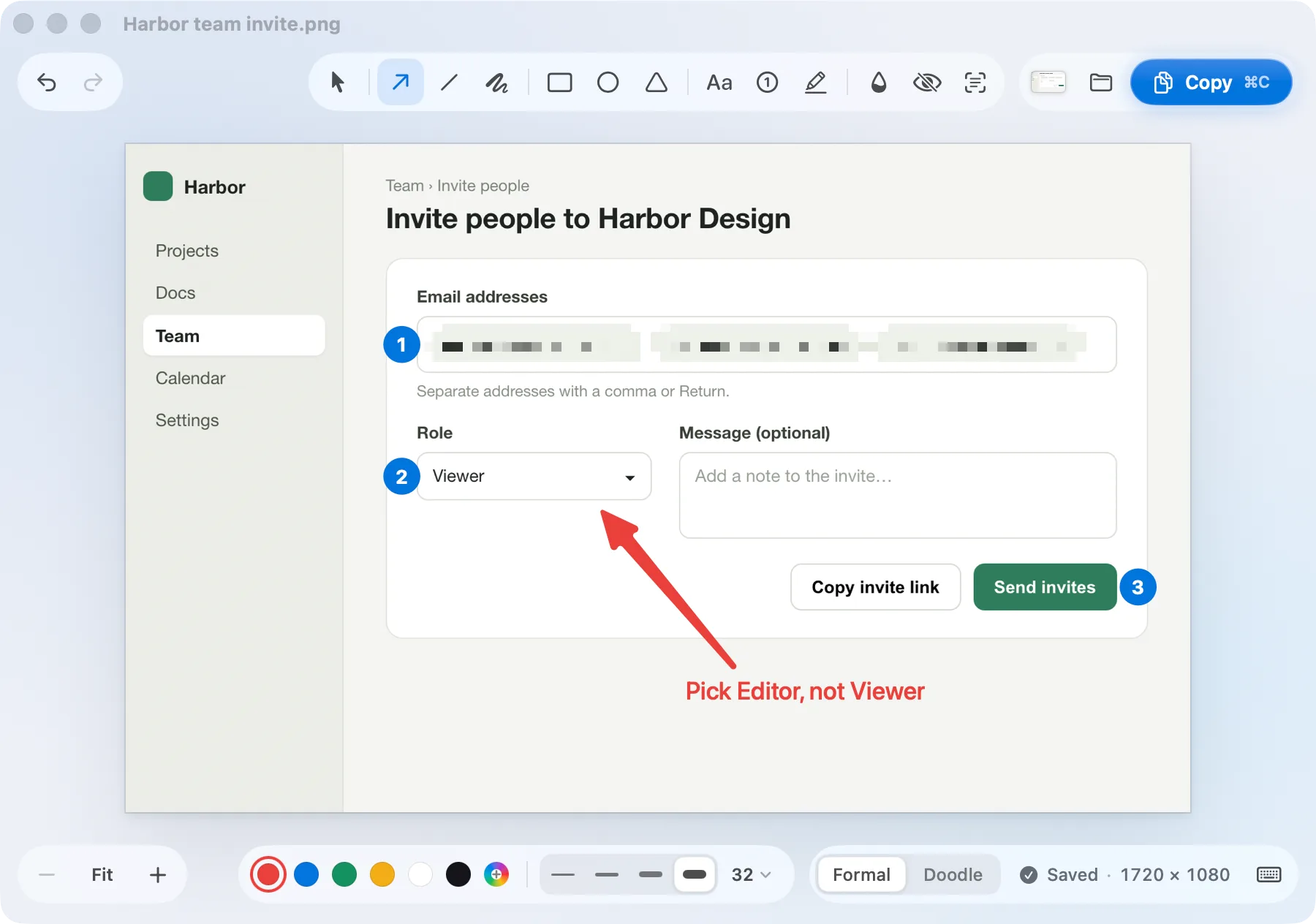
Every Skitch habit, on a Mac today.
What you did in Skitch, with the built-in Mac way and the SnapApp way side by side, including what neither does.
Snap an area
- In Skitch
- Screen Snap: drag a crosshair, with a timer or an exact width and height
- Built into macOS
- then drag. has a timer in Options.
- With SnapApp
- then drag. The screen freezes first, so menus stay open. No timer or fixed size.
Point with an arrow
- In Skitch
- Arrow tool
- Built into macOS
- An arrow from Shapes in Markup, after you click the floating thumbnail
- With SnapApp
- Arrow, tapered in Formal style or hand-drawn in Doodle. Shift snaps it to 45° steps.
Add a few words
- In Skitch
- Text tool
- Built into macOS
- Text in Markup
- With SnapApp
- Click and type on the image. Draw past an edge and the canvas grows, leaving room for the note.
Box or circle it
- In Skitch
- Shape tool
- Built into macOS
- Shapes in Markup
- With SnapApp
- Box, oval, triangle and line.
Draw freehand
- In Skitch
- Pen
- Built into macOS
- Sketch or Draw in Markup
- With SnapApp
- Pen. Hold Shift for a straight stroke.
Stamp it
- In Skitch
- Stamps: check, cross, exclamation and more
- Built into macOS
- No stamps
- With SnapApp
- No stamps. Numbered steps mark the order instead.
Pixelate private details
- In Skitch
- Pixelate tool
- Built into macOS
- No pixelate or blur in Markup
- With SnapApp
- Pixelate or blur an area or recognized words, from Light to Max, or cover them with Redact. Blur or redact?
Crop or resize
- In Skitch
- Crop and resize tool
- Built into macOS
- Crop in Markup
- With SnapApp
- Choose the area when you snip. There is no crop tool afterwards.
Mark up a photo or PDF
- In Skitch
- Open an image. PDF markup needs Evernote Premium.
- Built into macOS
- Markup in Preview, Photos, Mail, Notes and TextEdit, including PDFs
- With SnapApp
- Open Image (Command + O) for PNG, JPEG, TIFF or HEIC. No PDFs.
Send it on
- In Skitch
- Drag the file out, or share by email, Messages or a shared link
- Built into macOS
- Click the thumbnail to edit, or find the file on the desktop
- With SnapApp
- Command + C copies it and closes the editor, or drag the snip into a chat, an email or Finder.
Keep a copy
- In Skitch
- Save it as a file, or to Evernote with an Evernote account
- Built into macOS
- Saved to the desktop by default
- With SnapApp
- Every snip saves as a PNG in Pictures, in a SnapApp folder. Edits update the file.
Mac keys from Apple’s screenshot guide. Skitch’s tools as shown in its Mac App Store listing.
Three ways to move on from Skitch.
Keep Skitch for now
Skitch still opens through Rosetta on macOS 27 and earlier, and runs natively on Intel Macs. macOS may warn you when you open it that Intel-based apps will not work with macOS 28. Plan the switch before you upgrade.
Use what macOS has
Click the thumbnail after a screenshot to open Markup: shapes, text, sketching and crop, also in Preview for photos and PDFs. It has no pixelate tool and no stamps.
Every built-in shortcutSnip to explain with SnapApp
- One shortcut, then arrows, numbered steps, pixelate and text in one editor.
- Native on Apple silicon and Intel, so no Rosetta. A 3.6 MB app, notarized by Apple.
- Snips stay on your Mac.

For the Skitch habits SnapApp leaves out: CleanShot X shares links through CleanShot Cloud, and Shottr uploads to S3 and takes scrolling screenshots.
Skitch on today’s Mac, answered.
Is Skitch discontinued?
Evernote has not announced an end date for Skitch for Mac, and it is still a free download on the Mac App Store. Its last update was version 2.9 on July 7, 2020, and evernote.com/skitch now opens Evernote's homepage.
Does Skitch work on Apple silicon Macs?
Yes, through Rosetta. Skitch 2.9 is an Intel app, so a Mac with Apple silicon translates it. Apple says Rosetta is available on macOS 27 or earlier, and starting with macOS 28 only for certain older, unmaintained games.
Will Skitch work on macOS 28?
On a Mac with Apple silicon, not unless Evernote releases an Apple silicon version: Apple says Intel-based apps will not work with macOS 28, apart from certain older games. On an Intel Mac, Skitch runs without Rosetta.
How do I check whether Skitch needs Rosetta?
Select Skitch in the Finder and press Command + I. If Kind says Application (Intel), it runs through Rosetta on Apple silicon. On macOS 27, System Settings > General > About has a Details button next to Intel-based Apps that lists them.
What is a free Skitch alternative for Mac?
SnapApp is a free native app for Apple silicon and Intel Macs (macOS 14 Sonoma or later) with Skitch's core tools for free: arrows, text, boxes and a pen. Pixelate, numbered steps, redaction and text recognition come with SnapApp Pro. For a quick mark, Markup is built into macOS.
How do I pixelate part of a screenshot without Skitch?
With SnapApp: press Command + Shift + 2 and drag across the area, press U for Blur and switch it to Pixelate, then drag over the detail. Press Command + C to copy the result. Markup, the built-in editor, has no pixelate tool.
Can I mark up an existing image, like in Skitch?
Yes. In SnapApp, choose File > Open Image (Command + O) for a PNG, JPEG, TIFF or HEIC file. It does not open PDFs; Markup in Preview does.
Does SnapApp save to Evernote or make share links?
No. SnapApp saves every snip as a PNG on your Mac and never uploads it. Press Command + C to copy it, or drag it from the editor into a chat, an email or Finder.
Is SnapApp made by Evernote?
No. SnapApp is an independent Mac app with no connection to Evernote or Skitch.
Skitch, Rosetta and Markup details checked on October 2, 2026, against the Mac App Store, Apple’s support guides and Apple silicon compatibility trackers. SnapApp is not affiliated with Evernote or Skitch.